
Hexo主题Redefine细节

文章置顶
要实现顶置的文章,需在文章页添加 sticky 属性,sticky 值越大,顶置的文章越靠前,参考如下。
1 | --- |
文章头图
在文章的front matter 中增加
1 | thumbnail: "链接" |
文章摘要
自定义首页文章摘要
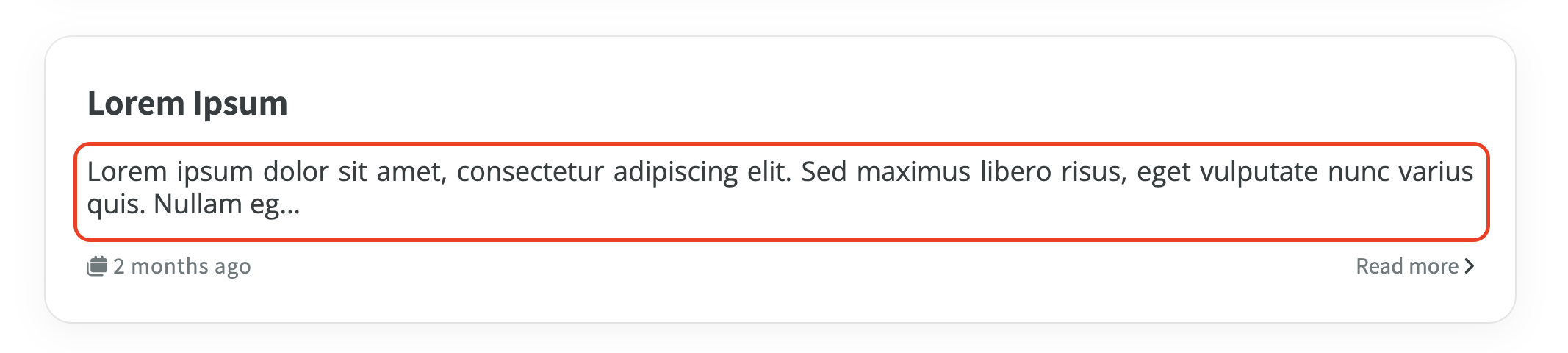
配置流程:
在文章页的 front matter 添加
excerpt:"摘要"属性,至此,就可以看到首页摘要更改了示例:
1
2
3
4
5
6
7
---
title: Excerpt Test
date: 2022-12-20 12:12:12
tags: Excerpt
categories: Excerpt
excerpt: "这是文章摘要 This is the excerpt of the post"
---
关闭某一文章摘要
如要关闭文章摘要

配置流程:
在文章页的 front matter 添加 excerpt: false 属性,至此,就可以看到首页摘要消失了
示例:
1 | --- |
Gitalk 评论系统
截止到目前,最新版本的Redefine主题仍未修复关于Gitalk评论系统的bug。依靠更改整个Hexo项目以及主题的_config.yml中的Gitalk配置和_config.redefine.yml中的配置都无法解决Gitalk无法初始化的问题。
BUG:Gitalk未在入口页面引入导致下一次访问带评论不能正常加载 · Issue #343
Update 更新
Commandline update for redefine theme
Maintained by npm | 用npm更新
1
npm install hexo-theme-redefine@latest
Maintained by Git | 用Git更新
1
2
cd /themes
git clone https://github.com/EvanNotFound/hexo-theme-redefine.git themes/redefine
Maintain Configuration 迁移配置
有时候,更新完主题后,你的配置文件会有一些新的配置项,或者删除了一些配置项,或者对配置项名称进行了改动,这时候你需要将这些配置同步到你的配置文件中。
可以使用 VS Code 等编辑器的 文件比对 功能,将新旧配置文件进行对比,然后将新的配置项添加到你的配置文件中。
例如,以下分别是两个不同安装方法的 VS Code 文件对比教程:
Git Installation
在 VS Code 中,按住
Ctrl(windows) 或者Command(macos) 键,选中旧配置文件(
_config.redefine.yml),再选中新配置文件(
themes/hexo-theme-redefine/_config.yml)。然后点击
比较选中的文件或者Compare Selected按钮,即可看到两个文件的对比结果,然后再进行迁移,缩进请严格按照旧配置文件的缩进来进行迁移。npm Installation
在 VS Code 中,按住
Ctrl(windows) 或者Command(macos) 键,选中旧配置文件(
_config.redefine.yml),再选中新配置文件(
node_modules/redefine/_config.yml)。然后点击
比较选中的文件或者Compare Selected按钮,即可看到两个文件的对比结果,然后再进行迁移,缩进请严格按照旧配置文件的缩进来进行迁移。
- Title: Hexo主题Redefine细节
- Author: Ricardo Pu
- Created at : 2024-06-15 01:55:16
- Updated at : 2025-01-06 15:21:47
- Link: https://ricardopotter.github.io/RicardoBlog/2024/06/15/Hexo主题Redefine细节/
- License: This work is licensed under CC BY-NC-SA 4.0.